
Online store
Bring your products online with your own storefront.
Give your business a public online store where customers can browse your products, add items to their cart and place orders. Vendriz connects your storefront to the same product catalogue and stock records used by your POS.

How it works
Your products, available beyond the physical shop.
Your business gets a public storefront with its own shop-specific address. Publish the products you want customers to see, let shoppers browse and place orders, and manage customer accounts and online order records separately from your in-store sales.
Public storefront
Give your business a dedicated online shopping experience with its own published product catalogue.
Shared product catalogue
Published products use the same product records, prices and stock information maintained for your POS.
Customer accounts
Let shoppers register, sign in and access their online order information.
Separate online orders
Keep storefront orders on their own records, distinct from completed in-store POS receipts.
Your public storefront
Give customers a place to discover your products. Make your product catalogue available through a public storefront associated with your business.
- Your store address: Each shop has its own storefront address and published product catalogue.
- Store branding: Set your store name and choose the available colours to customise its storefront presentation.
Product catalogue connection
One product catalogue for your POS and storefront. Keep product information connected instead of maintaining separate lists for online and in-store sales.
- Shared product records: Published products use the same prices and stock records maintained for your POS.
- Shared product imagery: Use product images from your existing catalogue to present items on your storefront.
- Controlled publishing: Choose which products from your catalogue are available for customers to browse online.
Store appearance
Give your storefront your business identity. Customise the appearance of your public store using the branding options available in Vendriz.
- Store name and colours: Set the name and colour presentation customers see when they visit your storefront.
- One connected catalogue: Customise your storefront without having to maintain a separate product catalogue.
Customer shopping experience
Take customers from browsing to checkout. Give shoppers a straightforward way to explore your products and place orders online.
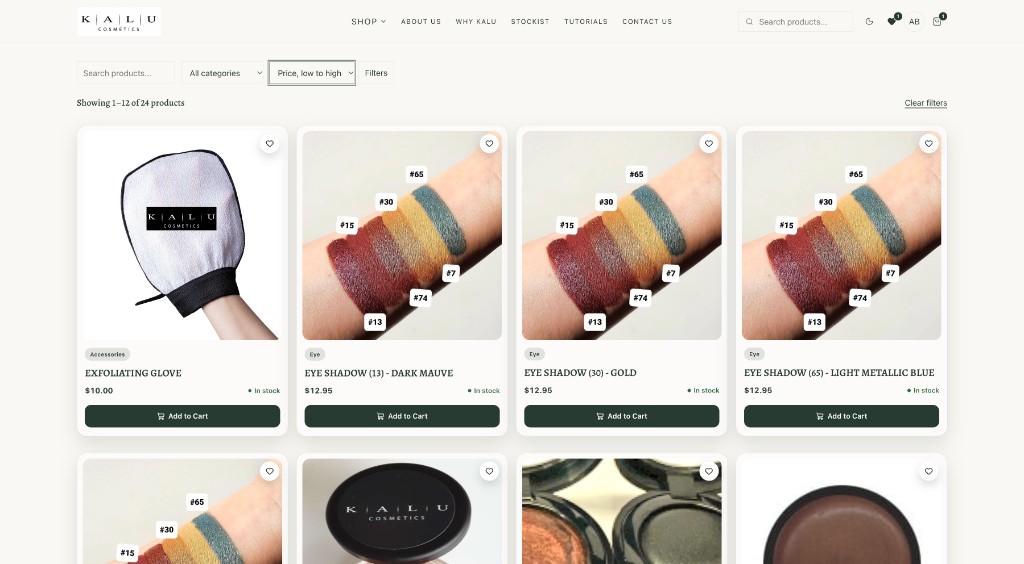
- Browse products: Customers can explore published products and view their available product information.
- Build a cart: Shoppers add products to their cart, review their selections and continue to checkout.
- Customer accounts: Customers can create an account or use an existing account where supported.
Customer accounts
Give shoppers their own identity. Keep customer accounts separate from the staff accounts used to manage your business.
- Register and sign in: Customers can create their own accounts and sign in to the storefront.
- Order lookup: Signed-in customers can access their order information and history where supported.
Orders
Keep online orders organised separately from in-store sales. Storefront orders have their own records, so your online shopping activity remains distinct from completed in-store POS receipts.
- Separate order records: Online orders are recorded independently from the sales receipts created at your POS.
- Order tracking: Look up and follow online orders through the supported storefront order workflow.
Inventory connection
Keep online sales connected to your stock records. Your storefront and POS use the same underlying product and inventory records.
- Shared stock records: Online orders interact with the same stock records used by your product catalogue and POS.
- Connected restocking: Replenish products through the same inventory and purchasing workflows used for your in-store operations.
Checkout and payments
Give shoppers a clear path to placing an order. Let customers complete the available storefront checkout workflow while keeping order creation separate from payment processing.
- Storefront checkout: Customers can review their cart and proceed through the supported checkout process.
- Payment availability: Live card payment processing depends on an enabled, shop-connected payment provider. Card payment initialisation is not enabled for every shop by default. Creating an online order and successfully processing a live payment are separate operations.
Why it helps
Put your catalogue in front of customers online.
One shared catalogue
Use the same product records for your physical POS and public storefront.
A public storefront
Give customers a place to discover your products and place orders online.
Customer accounts
Let shoppers register, sign in and look up their order information.
Clear order separation
Keep online orders distinct from completed in-store sales.
In practice
Publishing your storefront, step by step.
Step 1
Set your branding
Choose your store name and available colour presentation.
Step 2
Publish products
Select the catalogue products you want customers to see on your storefront.
Step 3
Customers browse
Shoppers visit your public store, explore products and add items to their cart.
Step 4
Proceed to checkout
Customers review their selections and complete the supported checkout process, creating or using a customer account where applicable.
Step 5
Record the order
The online order is saved in its own order record, separate from an in-store POS receipt.
Step 6
Review and fulfil the order
Access the online order through the supported order workflow and manage it separately from in-store POS sales.
Connected, not separate
Your online store works alongside the rest of Vendriz.
Inventory
Published products use the same product prices and stock records maintained by your catalogue and POS.
Learn morePOS
Manage in-store sales separately from online orders while using the same underlying product and inventory records.
Learn moreReports
Review the business activity represented in the reporting records available in Vendriz.
Learn morePurchasing and Suppliers
Restock products sold online through the same purchasing and inventory workflows used by your business.
Learn more
Who it's for
For retail businesses ready to sell online too.
01
Supermarkets and mini-marts
Give customers another way to browse your products and place orders beyond the physical shop.
02
Fashion retailers
Showcase your product catalogue online using the same product records used for in-store sales.
03
Electronics retailers
Give customers a convenient way to explore available products before making a purchase.
04
Beauty and cosmetics businesses
Create a public storefront around your existing product catalogue and business branding.
FAQs
Frequently asked questions
Straight answers about Online Store.
Yes. Published products use the same product records, prices and stock information maintained for your POS. You do not need to maintain a separate product catalogue for your storefront.
Yes. Customers can register for their own storefront accounts and sign in separately from your business staff accounts.
Online orders are recorded separately from in-store POS receipts. You can look them up and follow them through the supported storefront order workflow.
Yes. Online orders use the same inventory records as your catalogue and POS. When an order is placed, available stock can be reserved for that order, keeping online and in-store activity connected as the order progresses.
Related features
Explore more of Vendriz.
See how your online store connects with inventory, sales and reporting across your business.
Put your catalogue in front of customers online.
Publish a storefront using the same catalogue your POS uses, with customer accounts and online orders managed separately from in-store sales.