
RETAIL MANAGEMENT FOR ELECTRONICS BUSINESSES
Keep your electronics retail operations organised.
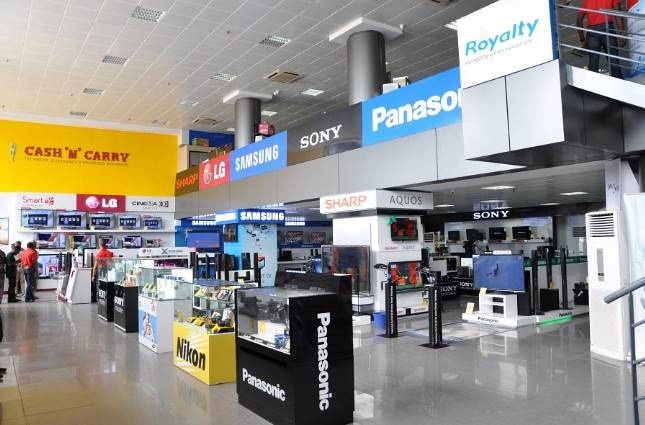
Manage product records, everyday sales, inventory, purchasing and business activity with Vendriz. Whether you sell televisions, refrigerators, air conditioners, smartphones, computers or everyday accessories, keep your retail operations connected.
Operational challenges
Electronics retail depends on accurate records and clear stock.
Electronics businesses manage products of different sizes, prices and categories. From high-value appliances and computing equipment to smaller accessories, accurate product and quantity records help keep everyday operations organised. This page covers Vendriz's existing retail capabilities. It does not imply specialised IMEI tracking, serial-number workflows, warranty management, repair jobs or device activation.
01
Managing a diverse product catalogue
Televisions, appliances, phones, computers and accessories all need clear product records, prices and stock quantities.
02
Knowing what is available
Sales and incoming deliveries change stock levels. Keep on-hand quantities visible through connected inventory records.
03
Managing everyday counter sales
Staff need a dependable checkout workflow to find products, manage carts, complete sales and issue receipts.
04
Coordinating suppliers and purchases
Keep supplier records and purchasing activity connected to inventory so that receiving goods updates stock.
05
Managing stock across branches
Electronics retailers with multiple locations need visibility into branch-level quantities and controlled stock transfers.
06
Understanding business activity
Use reports based on completed sales and recorded stock movements to review business activity without confusing operational reporting with formal financial accounts.
Platform capabilities
Retail tools for the electronics you sell.
Manage your electronics catalogue, checkout, inventory, purchasing, branches and staff with Vendriz's existing retail capabilities.
Product and inventory management
Maintain product records, prices, barcodes and stock quantities. Organise different electronics categories and configure variants where needed.
Learn morePOS and checkout
Process everyday sales using product search or barcode entry, with supported cash and recorded bank-transfer payments.
Learn moreMulti-branch stock
Share one product catalogue across locations while maintaining separate stock quantities and sales records for each branch.
Learn moreStock counts
Count physical inventory, review discrepancies and approve stock changes through controlled workflows.
Learn moreStock transfers
Move inventory between branches with checks that prevent a branch from transferring more stock than it holds.
Learn moreSuppliers and purchasing
Maintain supplier records, organise purchasing activity and connect received goods to inventory.
Learn moreSales and stock reports
Review sales and stock activity over selected date ranges using your recorded receipts and inventory movements.
Learn moreStaff roles and permissions
Control access to checkout, inventory and purchasing operations through roles enforced on the server.
Learn more
Product management for every electronics category.
Build an organised catalogue for the products you sell. From large household appliances to small accessories, maintain the records your team needs to manage products and process sales.
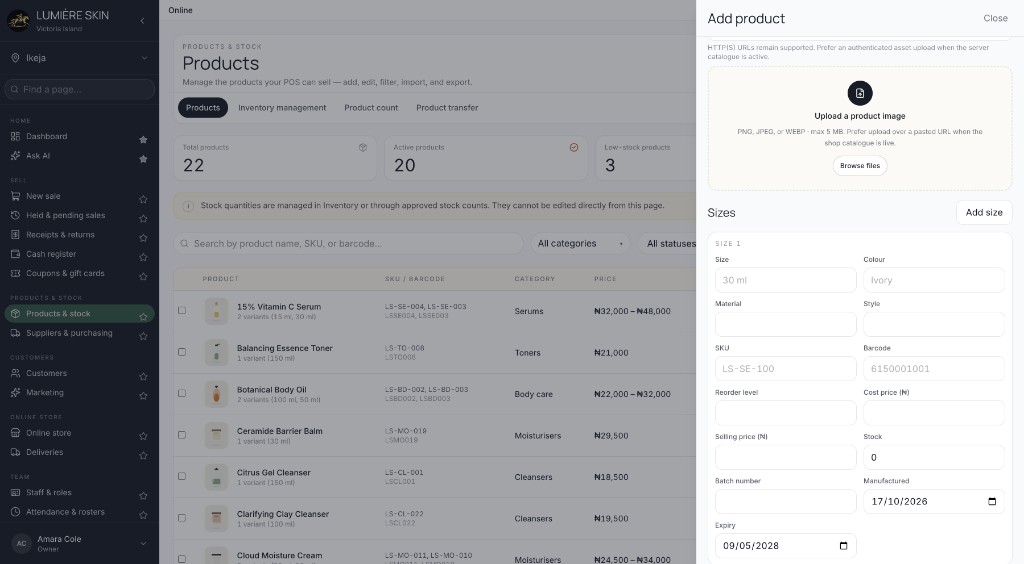
- Create product records for televisions, refrigerators, air conditioners, washing machines, smartphones, tablets, laptops, desktop computers and other electronics.
- Organise accessories such as chargers, cables, headphones, speakers, power banks, keyboards, mice and other gadgets.
- Maintain product prices, barcodes, SKUs and stock quantities.
- Configure variants where products require separate prices, barcodes or quantities.
- Keep stock updated as sales and goods received are completed.
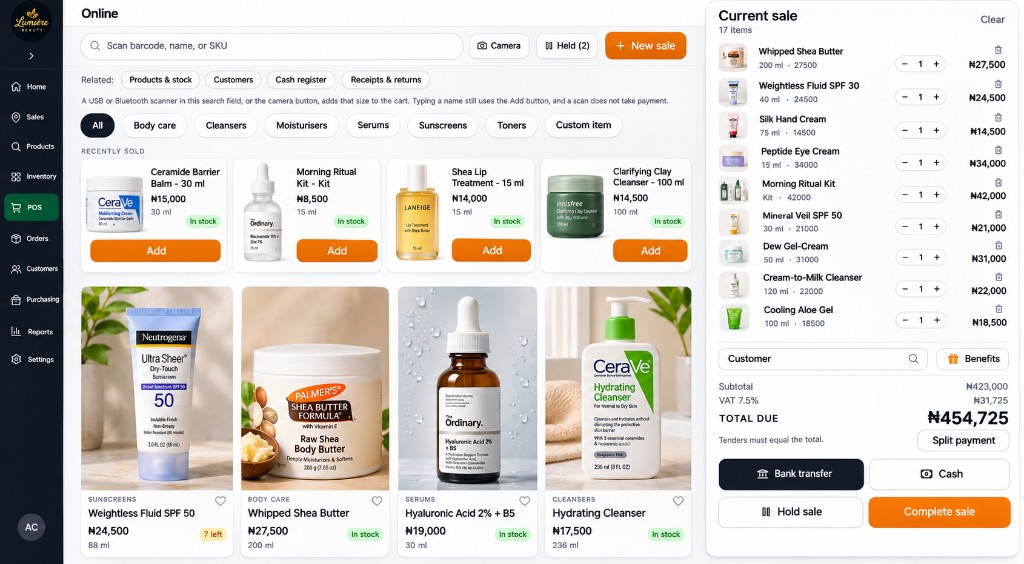
Sales and checkout at the counter.
Process everyday electronics retail sales with Vendriz's existing POS workflow.
- Find products quickly through search or barcode entry.
- Select configured product variants where applicable.
- Manage quantities, carts and held sales.
- Complete supported cash or recorded bank-transfer sales.
- Generate receipts for completed transactions.
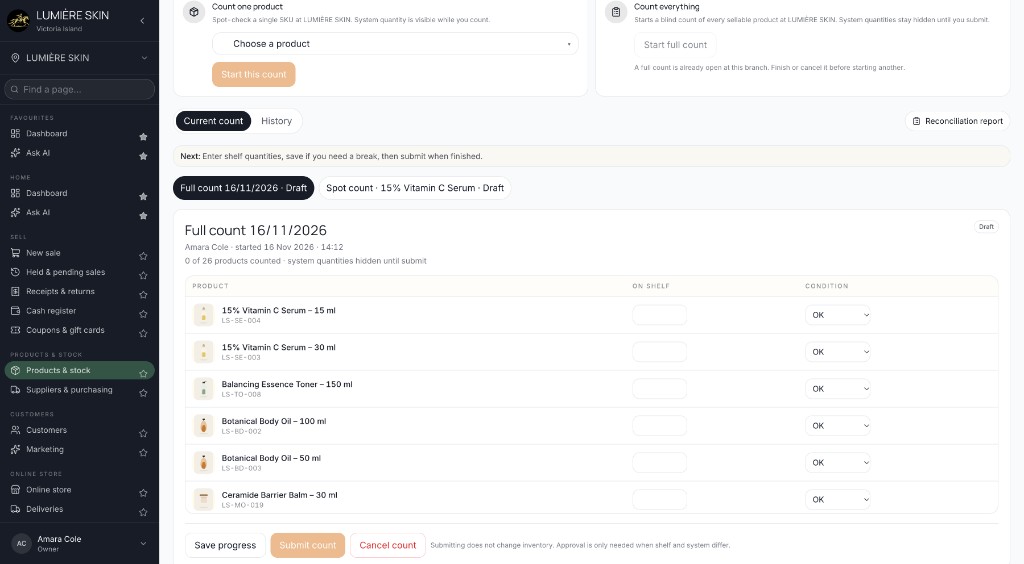
Inventory and stock visibility.
Keep track of electronics and accessories across your business using the inventory tools already available in Vendriz.
- Monitor stock quantities by branch.
- Record incoming goods and keep inventory updated.
- Conduct physical stock counts and review discrepancies before approving changes.
- Transfer products between branches with on-hand quantity checks.
- Review recorded stock movements.
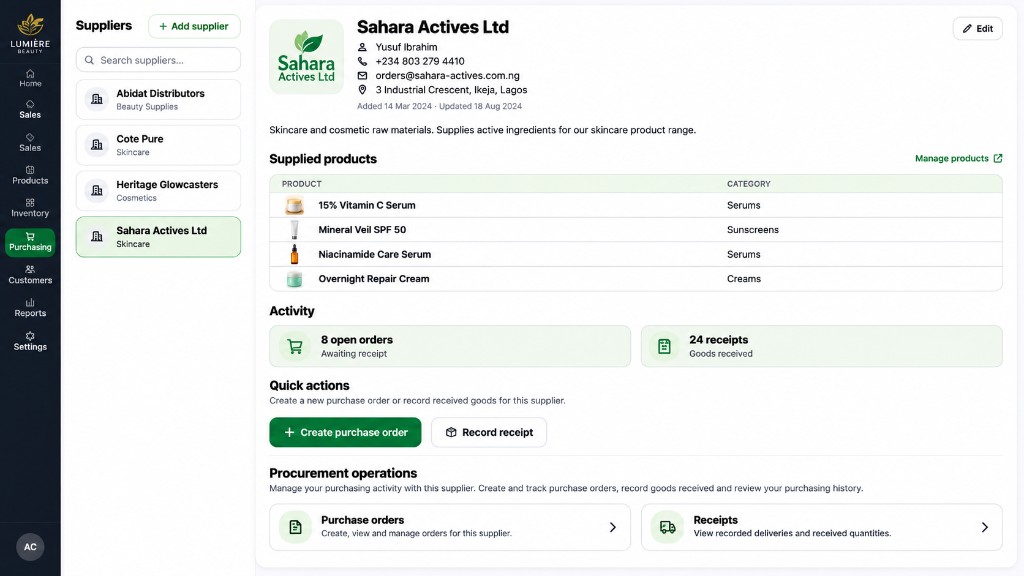
Purchasing and suppliers.
Keep purchasing activity connected to the inventory you rely on to serve customers.
- Maintain supplier records and contact information.
- Organise purchase orders and purchasing activity.
- Record goods received against purchasing records.
- Update inventory when received quantities are accepted.
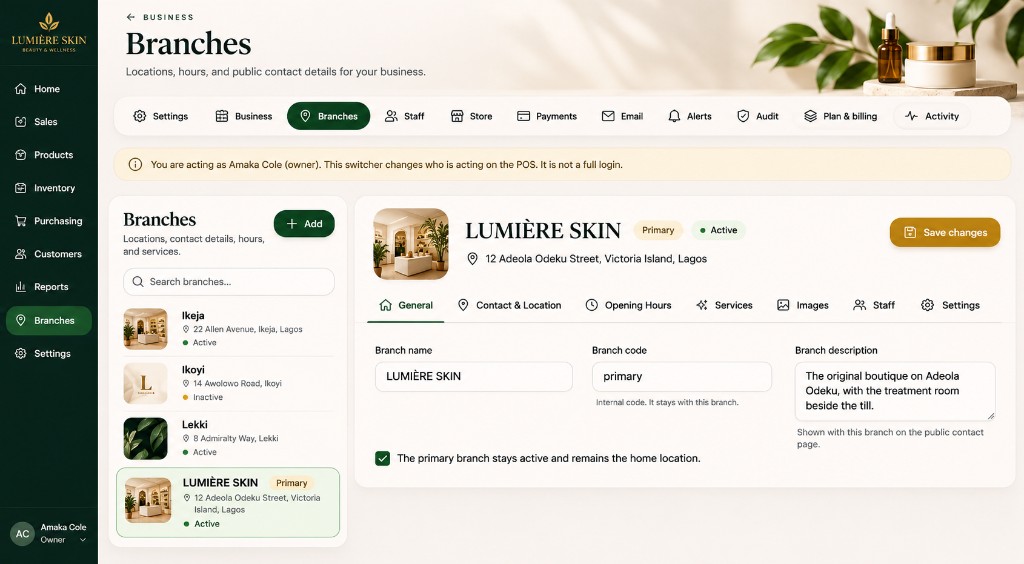
Branch management and reporting.
Manage electronics retail operations across multiple locations while keeping stock and sales records organised.
- Share one product catalogue across your branches.
- Maintain separate stock quantities and sales records at each location.
- Transfer inventory between branches through controlled workflows.
- Assign staff to appropriate branches and roles.
- Review sales and stock reports over selected date ranges.
Vendriz's reports provide operational visibility from recorded business activity. They are not a substitute for a full accounting package.
FAQs
Frequently asked questions
Straight answers for electronics retailers.
No. Vendriz's current product and stock records do not include dedicated IMEI or serial-number tracking. Specialised warranty and repair workflows are also not currently included.
Yes. Vendriz's general retail tools can manage product records, prices, stock, checkout, purchasing and reporting for phone shops, computer stores, appliance retailers and other electronics businesses.
Yes. You can maintain different electronics and accessory products in your product catalogue, with their own product records, prices and stock quantities.
Yes. You can share one product catalogue across branches while maintaining separate stock quantities and sales records for each location. Stock transfers help you move products between branches.
The POS supports cash and recorded bank-transfer sales. Recording a bank transfer does not independently confirm that the money has been received. Card payment processing is not currently enabled.
Offline checkout supports cash and recorded bank-transfer sales. Transactions are saved on the device and synchronised when the connection returns. Other features that require an active connection remain unavailable offline.
No. Vendriz provides operational sales and stock reports based on recorded transactions and inventory movements. They are not accounting statements.
Related solutions
Explore other retail industries.
See how Vendriz's existing retail capabilities support different kinds of businesses.
Manage your electronics business with better visibility.
From large appliances and computing equipment to smartphones and everyday accessories, organise products, checkout, stock and purchasing with Vendriz's connected retail capabilities.