
RETAIL MANAGEMENT FOR MINI-MARTS
Make managing your mini-mart simpler.
From everyday checkout and product management to inventory, purchasing and sales reports, Vendriz brings your essential retail operations together so you can spend less time managing records and more time running your shop.
Operational challenges
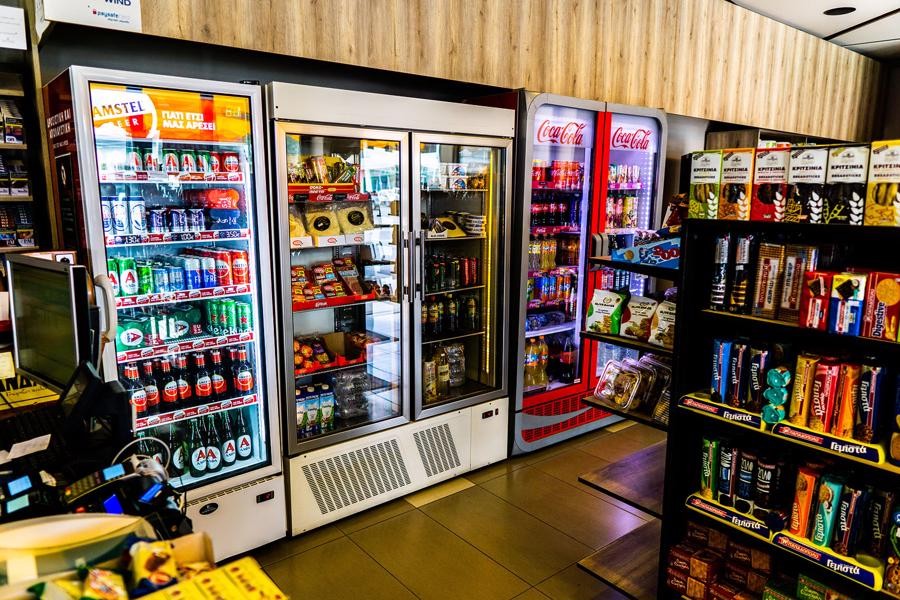
Running a small shop still takes a lot of coordination.
Even a single-location mini-mart handles dozens of everyday tasks. Products need to be organised, sales recorded, stock monitored and staff responsibilities managed. Vendriz helps bring these activities together without requiring you to operate like a large retail chain.
01
Checkout that keeps things moving
When your counter is busy, finding products quickly, recording payments and completing sales efficiently makes a difference.
02
Knowing what is available
Products sell throughout the day and deliveries change stock quantities. Keeping inventory connected to sales and receiving helps you maintain clearer stock records.
03
Keeping products and prices organised
Product names, prices, variants and barcodes need accurate records so your team can find and sell the right items.
04
Staying organised when restocking
Regular purchases from suppliers need proper records. Connecting purchase orders and received goods to inventory makes restocking easier to follow.
05
Giving staff appropriate access
Owners and shop attendants have different responsibilities. Individual accounts, roles and permissions help keep access aligned with each person's work.
06
Understanding daily sales
Knowing what sold, how much your shop made from completed sales and which products sold well helps you make more informed business decisions.
Platform capabilities
Everything you need for everyday mini-mart operations.
Vendriz brings together practical retail tools that help you manage checkout, products, inventory, purchasing and staff. Start with what your shop needs today and use additional capabilities as your business grows.
POS and checkout
Process everyday sales using product search or barcode entry. Manage baskets, hold sales when needed and record supported payment methods.
Learn moreProduct and inventory management
Organise your product catalogue, maintain prices and barcodes, and monitor stock quantities as goods are sold and received.
Learn moreSuppliers and purchasing
Keep supplier records, organise purchase orders and record incoming goods directly into your inventory workflow.
Learn moreSales and stock reports
Review completed sales, product activity, staff sales and recorded stock movements across selected date ranges.
Learn moreStaff roles and permissions
Give each team member an individual account and assign access according to their responsibilities.
Learn moreMulti-branch management
When your business expands, manage multiple locations using one shared product catalogue and separate stock and sales records.
Learn moreStock counts
Record physical stock quantities, review discrepancies and approve adjustments before inventory records change.
Learn moreStock transfers
Move products between branches through a controlled send-and-receive process.
Learn more
POS and checkout
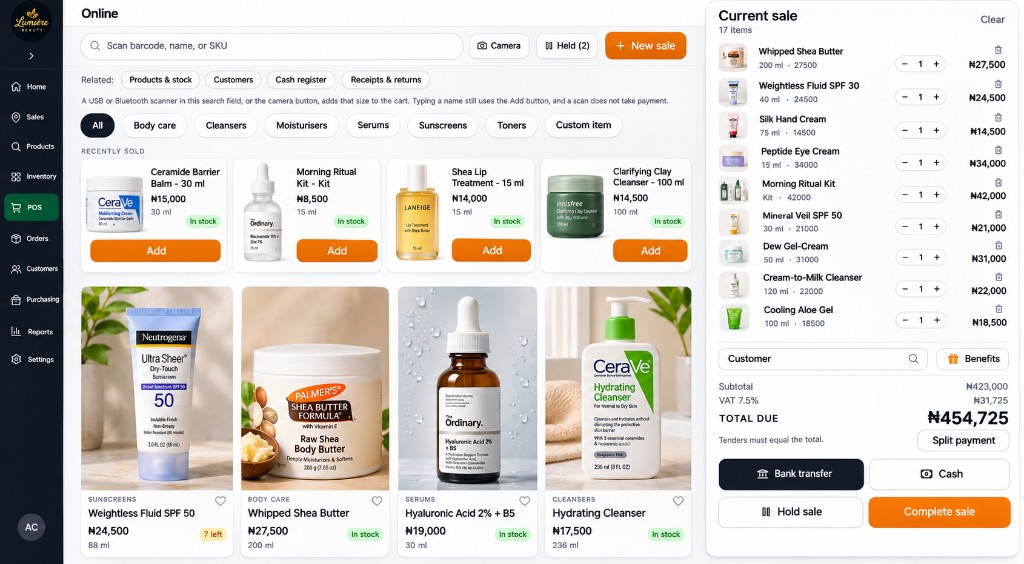
Make everyday checkout straightforward.
Give your attendants a clear way to find products, build customer baskets and complete sales at the counter.
- Find products using their names, barcodes or SKUs.
- Add products and quantities to the current sale.
- Hold a sale and resume it when the customer is ready.
- Record cash and bank-transfer payments. A recorded transfer does not confirm receipt of funds.
- Generate receipts for completed transactions.
- Keep completed sales connected to your inventory records.
Offline checkout supports cash and recorded bank-transfer sales. Card payments and other connection-dependent features require an active internet connection.
Product and inventory management
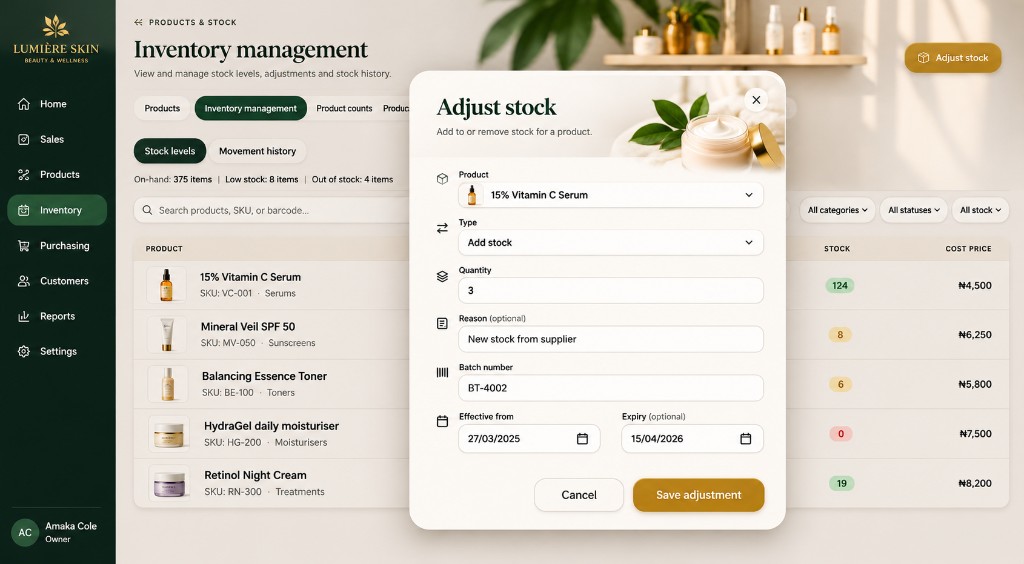
Keep your products, prices and stock organised.
Maintain one product catalogue for your everyday operations. Keep product information accessible to your team and monitor stock as sales and incoming goods are recorded.
- Create and update product records with prices and barcodes.
- Organise product variants and their individual details.
- Monitor stock quantities as sales and receipts update inventory.
- Record stock adjustments with reasons.
- Use physical stock counts to verify quantities before approving changes.
Purchasing and suppliers
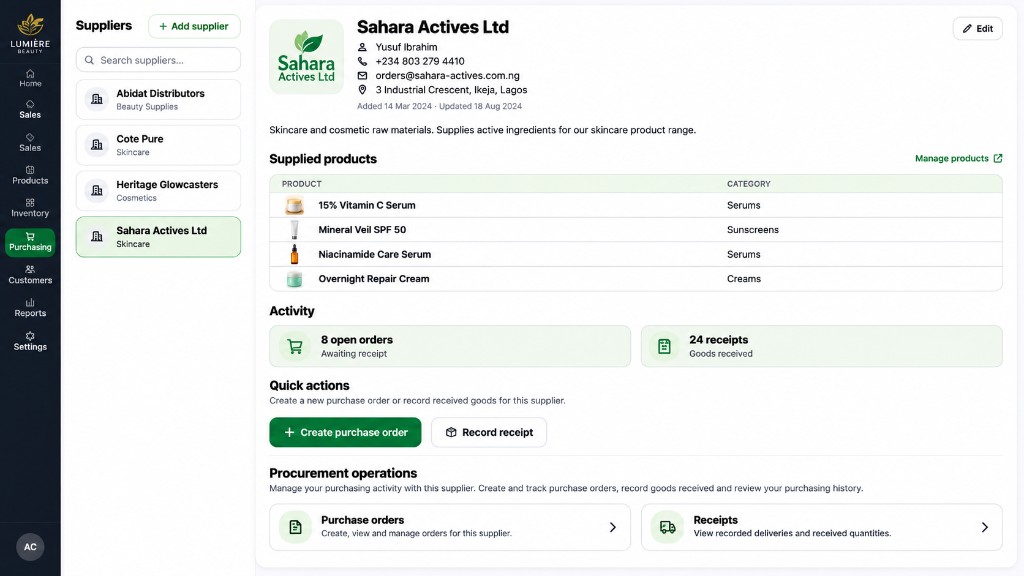
Make restocking easier to manage.
Keep supplier information and purchase orders organised. When goods arrive, record the quantities received so your inventory reflects the stock brought into your shop.
- Maintain supplier records and contact information.
- Create purchase orders for the products you need.
- Record quantities received against open purchase orders.
- Update branch inventory when goods are received.
- Review purchasing activity through available purchase reports.
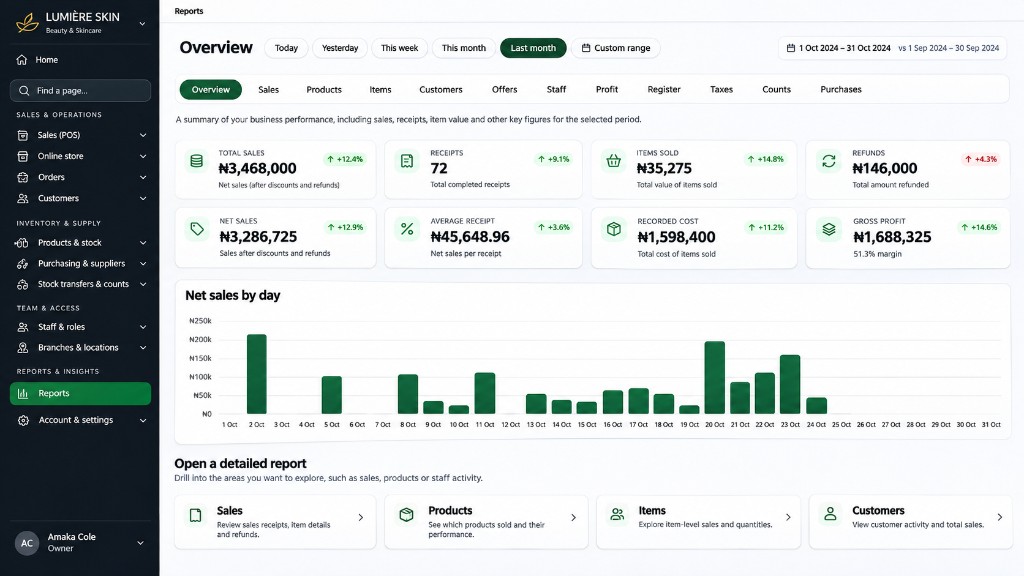
Sales and business reports
Know what is selling in your mini-mart.
Use reports built from your completed sales and recorded stock movements to understand everyday business activity.
- Select a single day or custom date range.
- Review sales totals after discounts and refunds.
- See product and staff sales activity.
- Review stock movements and stock-count differences.
- Export supported sales, stock movement, audit log and product data as CSV files.
Vendriz reports provide operational visibility. They are not a full accounting system and do not invent future demand figures.
Growing beyond one location
Start with one shop. Expand when you're ready.
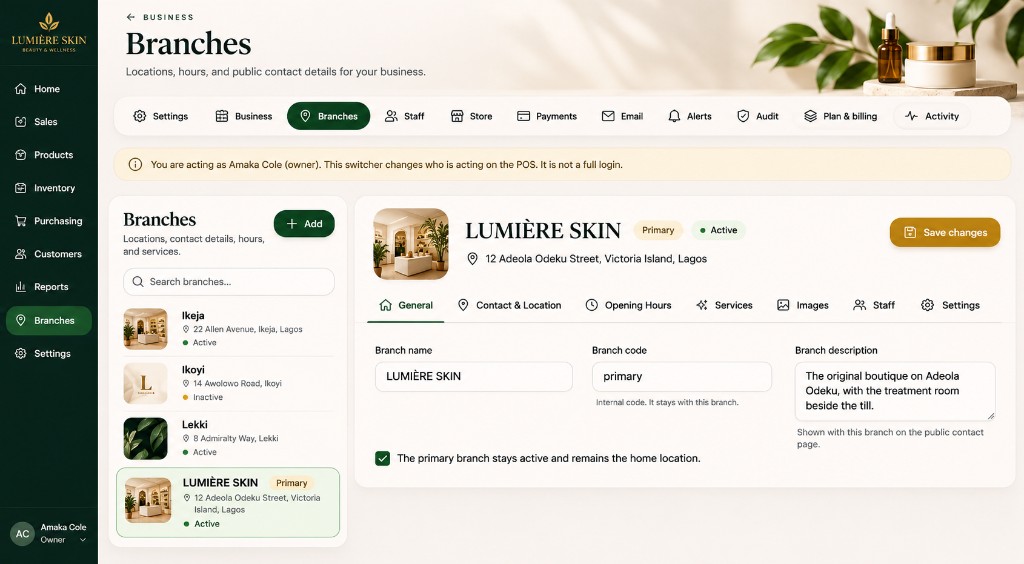
You do not need multiple branches to use Vendriz. When your business grows, you can organise additional locations under the same business account.
- Share one product catalogue across your branches.
- Maintain separate stock quantities and sales records at each location.
- Transfer stock between branches through controlled workflows.
- Assign staff to the locations where they are authorised to work.
- Review available branch sales and stock activity.
FAQs
Frequently asked questions
Straight answers for mini-marts retailers.
No. You can start with one shop, your product catalogue, checkout and inventory. Multi-branch management and stock transfers are available when your business needs them.
You can continue recording cash and bank-transfer sales. Transactions are saved on the device and synchronised when the connection returns. Card payments, held sales, coupons, gift cards and loyalty features require an active connection.
You can manage both locations under one business account. Your product catalogue is shared, while stock quantities and sales records remain organised by branch. You can also assign staff to the locations where they are authorised to work.
Yes. Each staff member has an individual account and an assigned role. Permissions determine which pages and actions they can access, while branch assignments control where they can work.
Related solutions
Explore Vendriz across other retail industries.
The same connected retail capabilities support different kinds of businesses. See how Vendriz helps other retailers organise their everyday operations.
Spend less time managing disconnected retail tasks.
Bring your checkout, products, inventory, purchasing and everyday business operations together with Vendriz.