
How Vendriz works
Understand how Vendriz brings your retail business together.
From setting up your shop and organising your products to processing sales, managing inventory and reviewing business performance, Vendriz connects the everyday operations that keep your retail business running.
Getting started
Get your retail business ready to run.
Start by creating your Vendriz account and setting up your business. Organise the information your team needs before moving into everyday retail operations.
Step 01
Create your account
Create your Vendriz account and access your business workspace. This account is for business owners and operators. It is separate from the staff sign-in used at checkout.
Step 02
Set up your shop
Add your shop details and complete the available business setup. Your online storefront starts as a draft until you choose to publish it. Creating a shop does not automatically make it publicly available.
Step 03
Organise your operations
Prepare the information needed to run your business, including your product catalogue, variants, prices, inventory and staff accounts. If you operate multiple locations, you can also organise your branches.
Step 04
Start managing your business
Once the required setup and activation steps are complete, start using Vendriz to manage everyday sales, stock, purchasing, reporting and more.
Everyday sales
Make every sale part of a connected workflow.
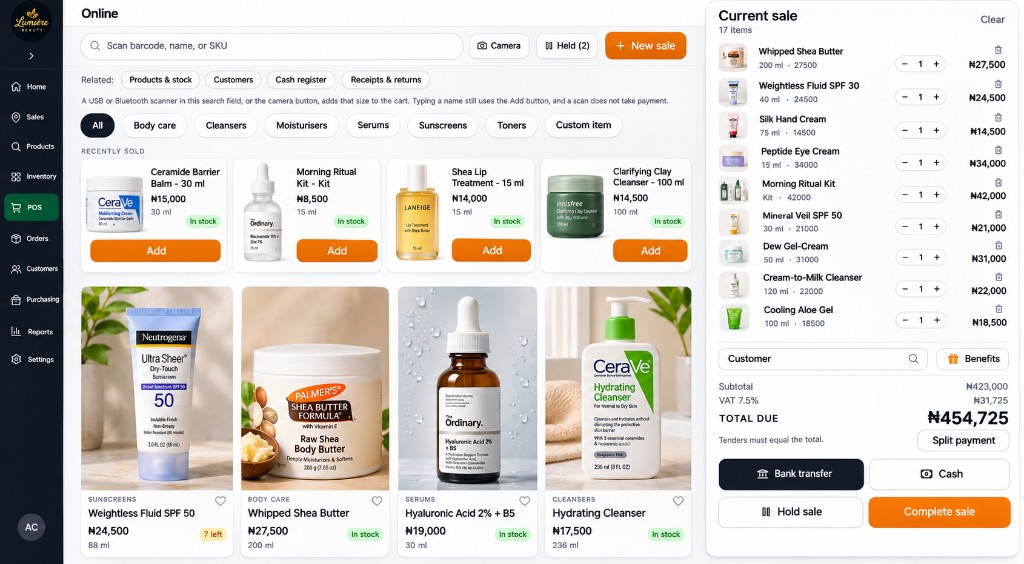
Vendriz helps your team manage everyday checkout while keeping completed sales connected to your business records and inventory.
- Find products through product search or barcode entry.
- Select configured variants where a product has options such as size or colour.
- Add products to the cart and manage quantities.
- Apply supported discounts and promotions where authorised.
- Complete supported cash or recorded bank-transfer sales. Recording a transfer does not confirm that funds have been received.
- Generate receipts and keep completed transactions in your sales history.
Held sales are available while online. Completing a held sale requires an active connection.
Product management
Know what you have. Know where it is.
Keep your product catalogue and stock records organised as your business sells, receives and moves inventory.
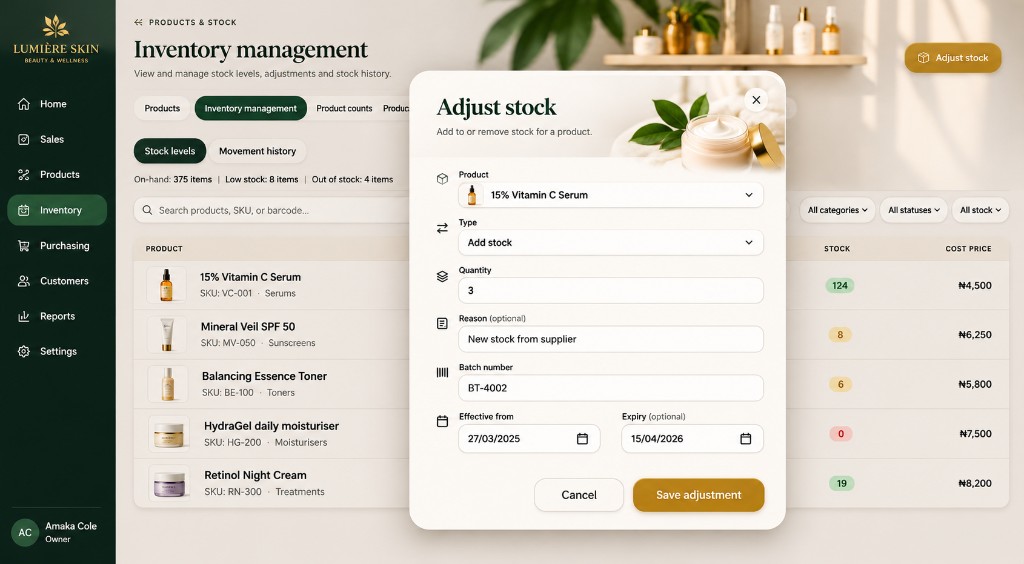
- Create and maintain product records, including configured variants with their own prices, barcodes and stock.
- Track stock quantities by branch, with each location maintaining its own on-hand figures.
- Update stock through completed sales, goods received, adjustments and approved stock counts.
- Review physical stock discrepancies before approving changes. Submitting a count alone does not update inventory.
- Review recorded inventory movements to understand how stock has changed.
Purchasing
Keep purchasing connected to the stock you sell.
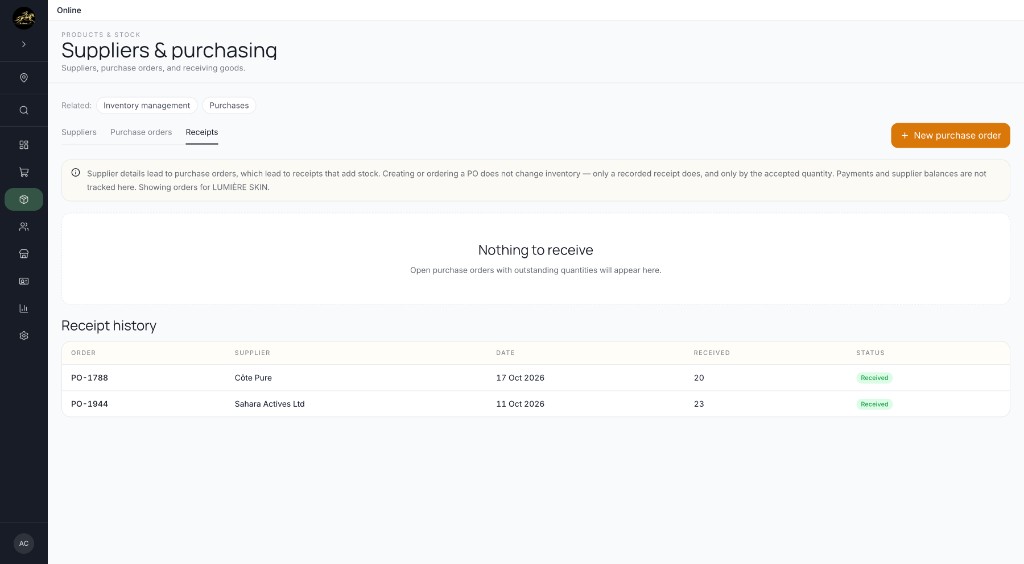
Organise supplier information and purchasing activity, then connect goods received to your inventory records.
- Maintain supplier records.
- Create purchase orders using the supported purchasing workflow.
- Record goods received and accept the quantities delivered.
- Update inventory at the receiving branch when goods are accepted.
- Review the resulting stock records.
Team and locations
Give every team member and branch the right level of access.
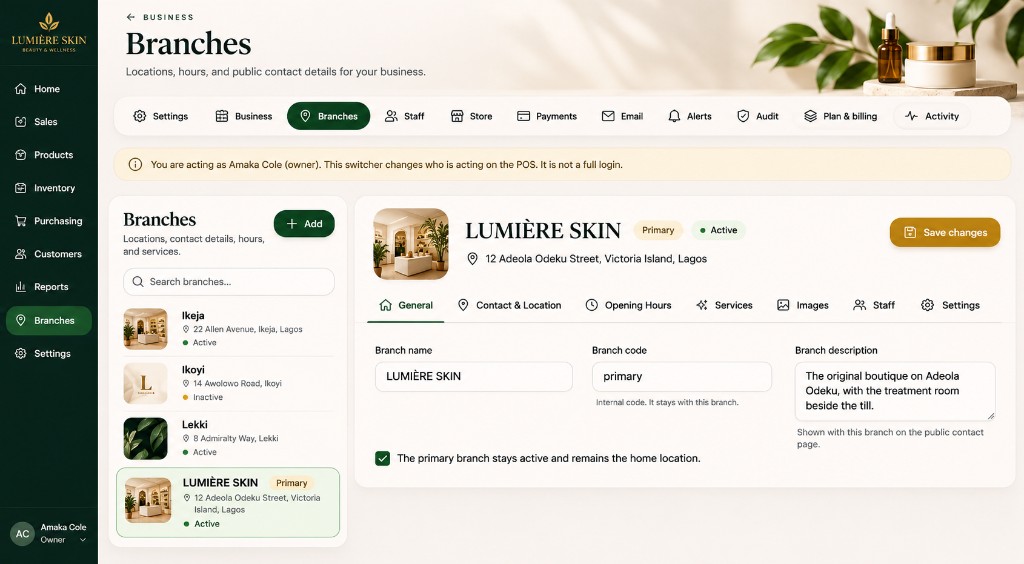
As your business grows, Vendriz helps you organise staff responsibilities and manage operations across multiple locations.
- Invite staff and create individual accounts with assigned roles and permissions.
- Keep access aligned with each person's responsibilities through server-enforced permissions.
- Use staff PINs for switching the active staff member. A PIN does not independently grant additional permissions.
- Share one product catalogue across branches while maintaining separate stock quantities and sales records.
- Move stock between branches through controlled stock transfers.
- Keep platform workspace access separate from shop access, which uses staff sign-in.
Business visibility
Understand your business through the activity you record.
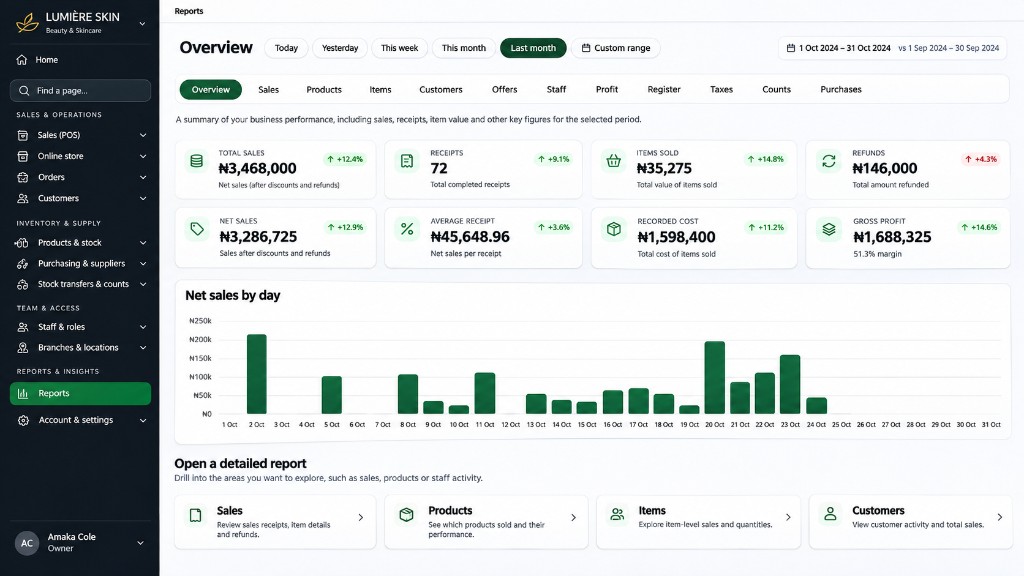
Bring together the operational information that helps you review sales, products, branches and staff activity.
- Review sales reports for selected periods.
- Explore branch and staff sales views.
- Inspect stock movement records.
- Export CSV reports where supported and authorised.
Vendriz reports summarise operational activity. They are not full financial statements or an accounting ledger.
Sell online
Bring your products to customers beyond the counter.
Use Vendriz's online storefront to present your products online and let customers browse and place orders.
- Present your storefront using your shared product catalogue.
- Publish products when you are ready. Your storefront starts as a draft.
- Keep product prices and stock relationships connected to your catalogue.
- Let customers create accounts and place online orders.
- Manage online orders through your shop's order records. These are distinct from POS receipts.

Stay operational
Keep selling when your internet connection drops.
When connectivity is interrupted, Vendriz supports offline checkout for cash and recorded bank-transfer sales. Transactions are saved on the device and synchronised when the connection returns.
- Offline checkout supports cash and recorded bank-transfer sales only.
- Offline transactions synchronise when connectivity returns.
- Card and online payments require an active connection.
- Held sales, coupons, gift cards and loyalty operations that require connectivity are unavailable offline.
Only supported checkout operations continue offline. Not every part of Vendriz works without an internet connection.
Bring your retail operations together with Vendriz.
From everyday checkout to inventory, purchasing, branches and business reporting, manage the operations that keep your retail business moving.
Looking for more detail? Explore Vendriz features.