
Skip to content
Product
  • POSCheckout for everyday sales
  • InventoryProducts and stock on hand
  • Multi-Branch ManagementStock and sales by location
  • Stock Transfers and CountsMove and verify stock
  • Purchasing and SuppliersSupplier records and orders
  • ReportsSales and stock reporting
  • Staff ManagementRoles and permissions
  • Online StoreA storefront for your catalogue
  • Supermarkets
  • Mini-marts
  • Fashion Retail
  • Electronics Retail
  • Beauty and Cosmetics
  • ResourcesArticles and guides for retail operations
  • BlogEducational retail articles
  • GuidesPractical process walkthroughs
  • FAQsCommon questions, answered
  • How it worksHow Vendriz connects retail operations
Pricing
Log inGet started
  1. Home
  2. /Resources
  3. /Blog
  4. /How to manage stock across multiple branches

Multi-branch management

How to manage stock across multiple branches

Keep each location’s on-hand stock clear, move inventory with transfers, and avoid treating multi-branch stock as one shared pile.
Published 15 March 2026
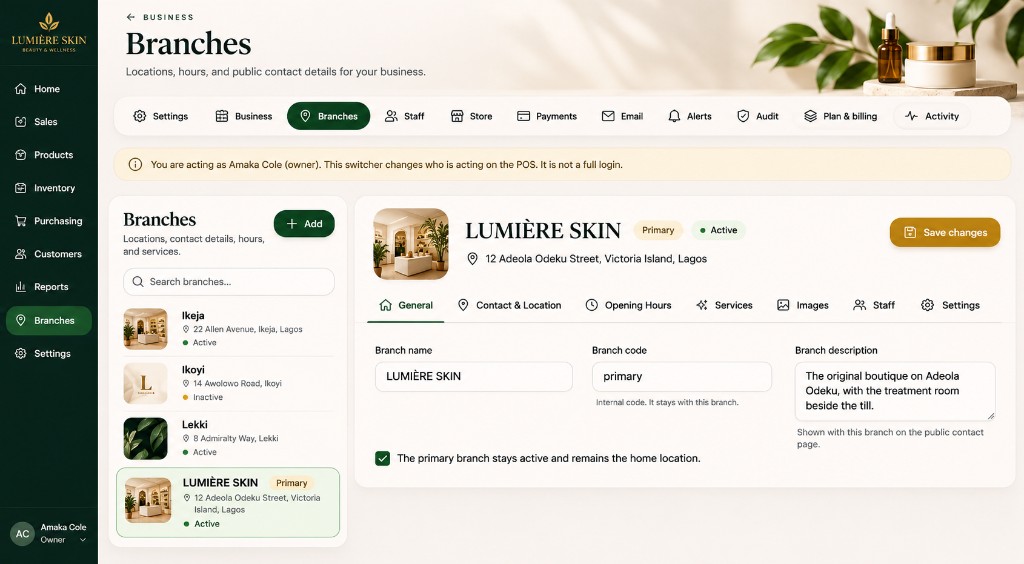
Branch settings with a branch list and the selected location’s details.

Article

Multi-branch retail fails when stock is treated as one shared pile. Each location needs its own on-hand view, and movements between branches need the same discipline as a supplier delivery.

Think per location

A product can be plentiful in Branch A and out in Branch B at the same time. Reports and purchasing decisions should answer “where?” not only “how many in total?”

Use transfers, not informal moves

When stock leaves one branch for another, record a transfer: source, destination, quantities, and confirmation that it arrived. Informal “we sent two cartons” notes do not keep either branch honest.

Product note

Vendriz supports multiple branches with stock held per location and transfers between them. Confirm arrivals so both sides of the move stay accurate.

Purchase into the right branch

Supplier deliveries should land against the branch that received the goods. Receiving into the wrong location is a common source of “ghost stock.”

Visibility for owners

  • On-hand by branch for the same SKU
  • Open transfers that still need confirmation
  • Sales by location when comparing performance
  • Low-stock signals that name the branch

On this page

  1. 1Think per location
  2. 2Use transfers, not informal moves
  3. 3Purchase into the right branch
  4. 4Visibility for owners

Keep reading

Related resources

  • Inventory management · 5 Mar 2026

    How to manage inventory for a retail business

    A practical framework for keeping retail stock accurate: catalogue structure, on-hand counts, receiving, and routine checks.

    Read article
  • Purchasing and suppliers · 25 Mar 2026

    How retailers can improve purchasing decisions

    Learn how sales history, available stock, supplier lead times and branch requirements can help you make more informed purchasing decisions.

    Read article
  • Multi-branch management · 18 Mar 2026

    Moving stock between branches

    Transfer inventory from one location to another without breaking either branch’s on-hand figures.

    Read guide

Next step

Ready to run retail operations in one place?

Explore Vendriz, review pricing by enquiry, or contact the team with your questions.

Get startedContact us

Point of sale, inventory, branches, purchasing, reports and staff access — together in Vendriz.

Log inGet started

Product

  • Product overview
  • POS
  • Inventory
  • Multi-Branch
  • Stock Transfers and Counts
  • Purchasing
  • Reports
  • Staff Management
  • Online Store

Solutions

  • Supermarkets
  • Mini-marts
  • Fashion Retail
  • Electronics Retail
  • Beauty and Cosmetics

Company

  • Pricing
  • About
  • Contact

Resources

  • Resources
  • Blog
  • Guides
  • FAQs
  • How it works
  • Getting help

© 2026 Vendriz

  • Legal Information
  • Privacy Policy
  • Terms of Service
  • Customer Terms
  • Cookie Policy
  • Acceptable Use
  • Data Processing Agreement
  • Company information